Full Stack Roadmap
Learn The Web
A visual guide to the core skills, tools, and projects that help you grow from web fundamentals to full stack development.

Phase 1
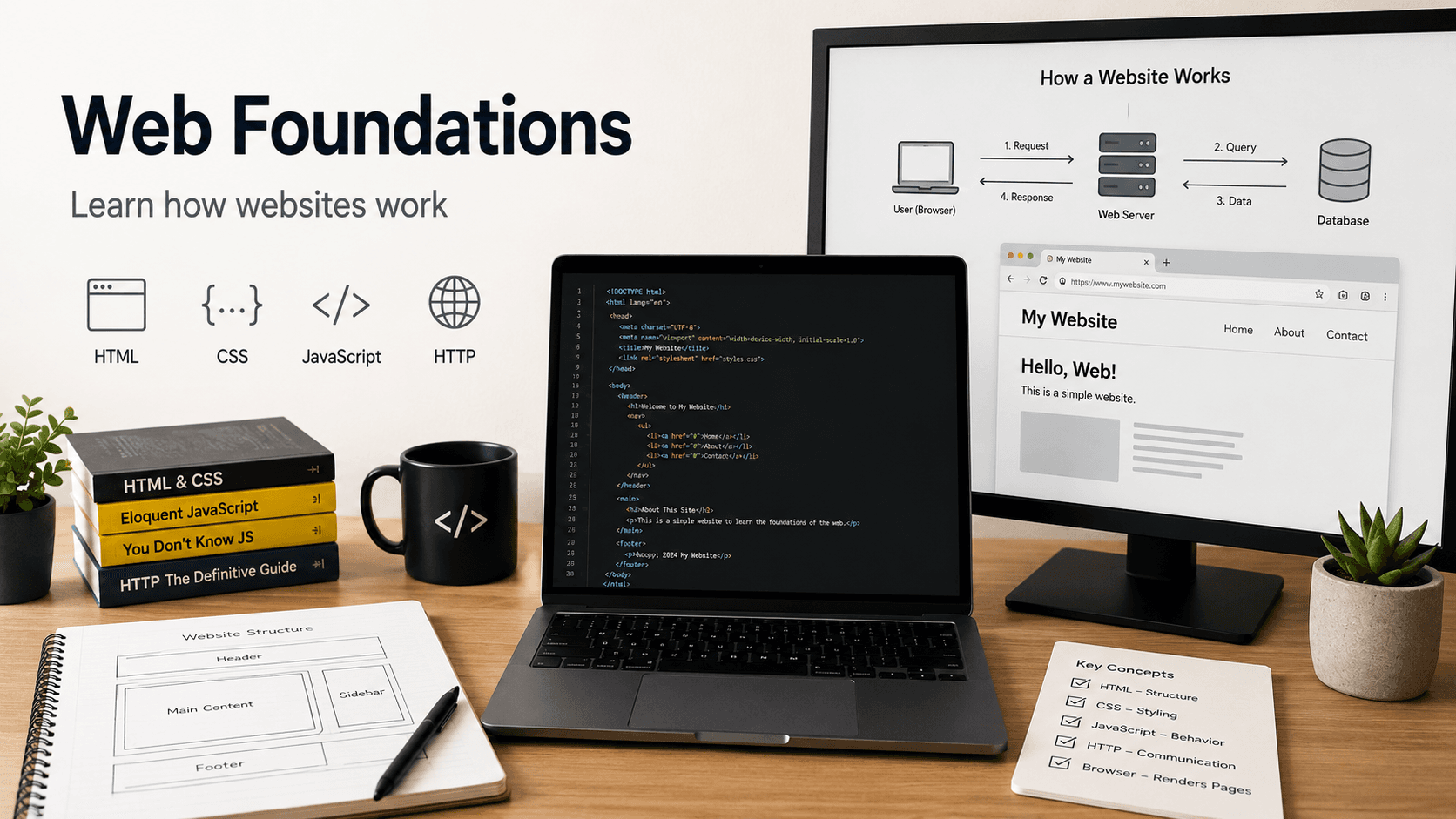
Web Foundations
Learn how websites work

01
Internet Basics
Start by understanding how the internet works at a high level. Learn what happens when a user types a website address into a browser, how domains connect to servers, and how browsers request and receive web pages.
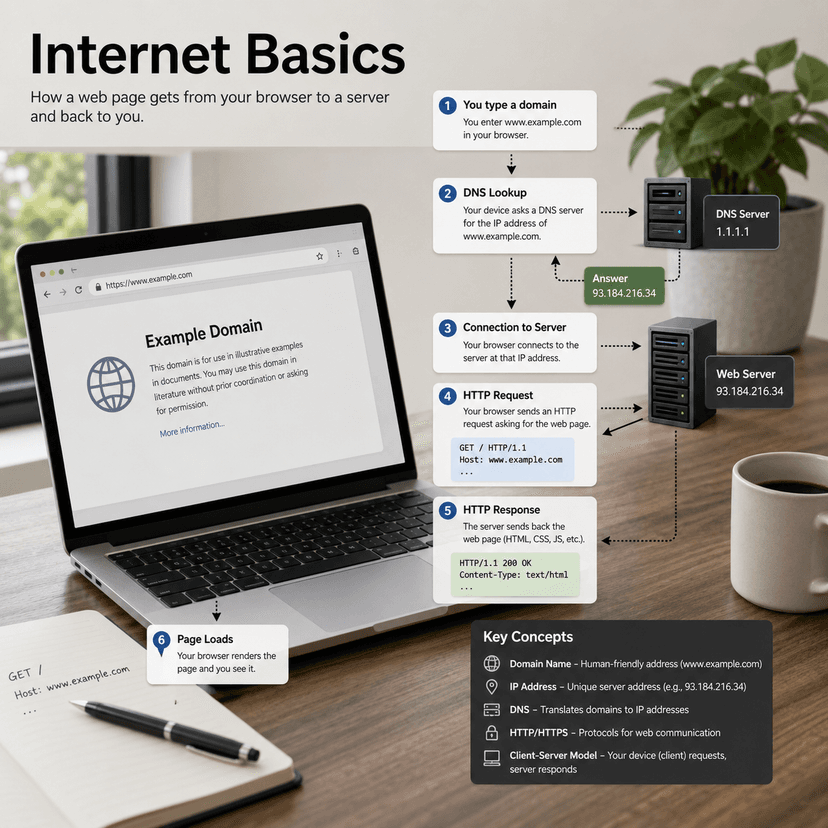
- Learn what a browser does.
- Understand domains, DNS, and hosting.
- Learn the difference between frontend and backend.
- Understand HTTP and HTTPS.
- Learn what requests and responses are.
- Study how a webpage loads from a server into the browser.
01
HTML
HTML gives structure to a webpage. It tells the browser what content exists on the page and what each piece of content means. A beginner should focus on writing clean, semantic HTML before worrying too much about design.
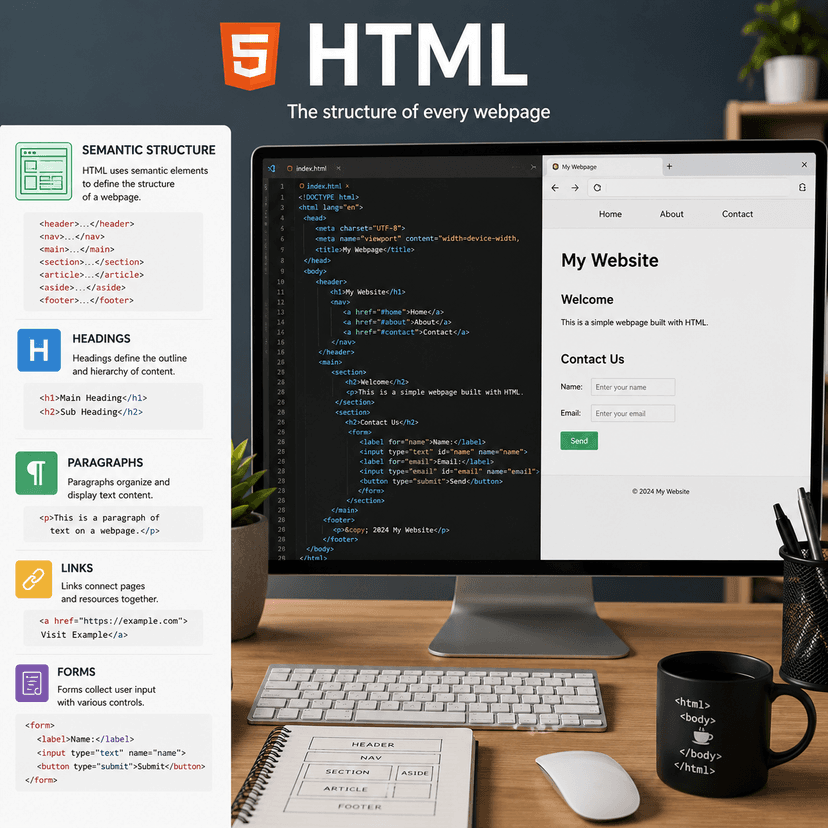
- Learn the basic HTML document structure.
- Use headings, paragraphs, links, images, and lists.
- Create forms with inputs, labels, buttons, and textareas.
- Learn semantic tags like header, nav, main, section, article, and footer.
- Practice building simple page layouts using only HTML.
- Understand accessibility basics like alt text and proper labels.
01
CSS
CSS controls the visual appearance of a website. This is where you learn how to turn plain HTML into a clean, attractive interface using layout, spacing, color, typography, and responsiveness.
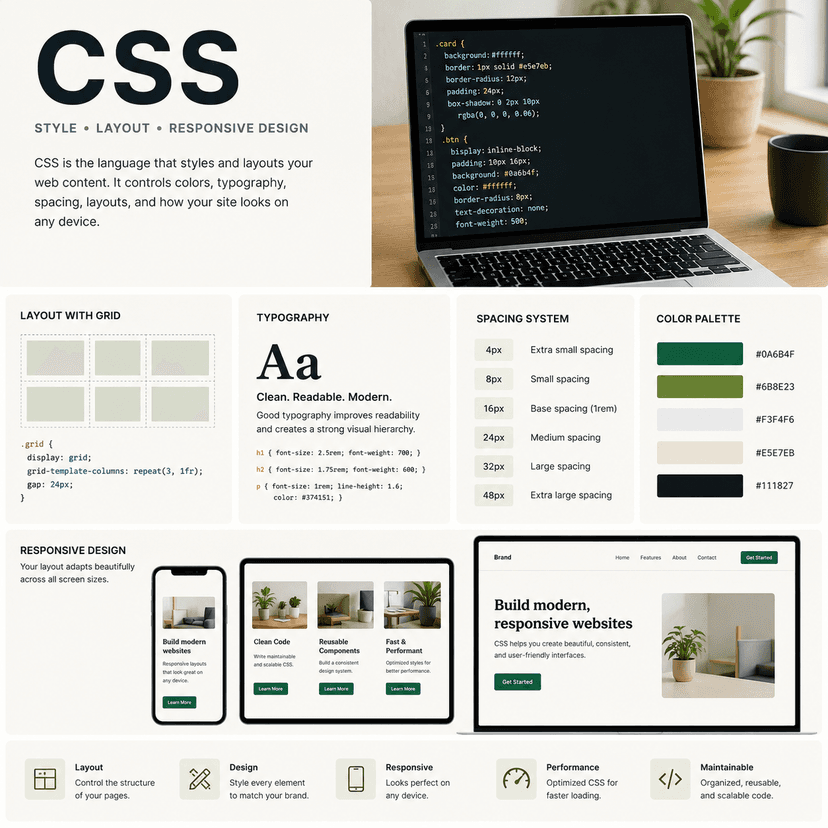
- Learn selectors, classes, IDs, and basic properties.
- Understand the box model: margin, padding, border, and content.
- Practice colors, fonts, spacing, and sizing.
- Learn Flexbox for one-dimensional layouts.
- Learn CSS Grid for two-dimensional layouts.
- Use media queries to make pages responsive.
- Practice recreating simple landing pages and cards.
01
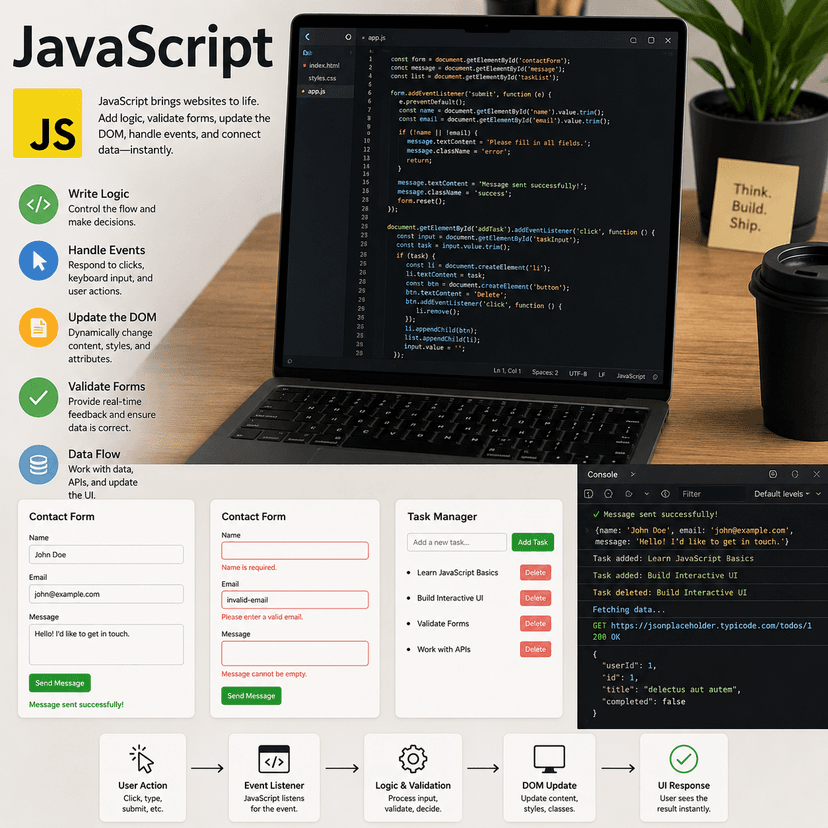
JavaScript
JavaScript brings websites to life. It allows you to add logic, respond to user actions, change page content, validate forms, fetch data, and create interactive experiences.
- Learn variables, data types, functions, and operators.
- Practice conditionals, loops, arrays, and objects.
- Understand the DOM and how JavaScript updates HTML.
- Handle user events like clicks, input changes, and form submissions.
- Learn fetch, promises, async, and await.
- Build small interactive projects like a counter, calculator, quiz, or todo list.
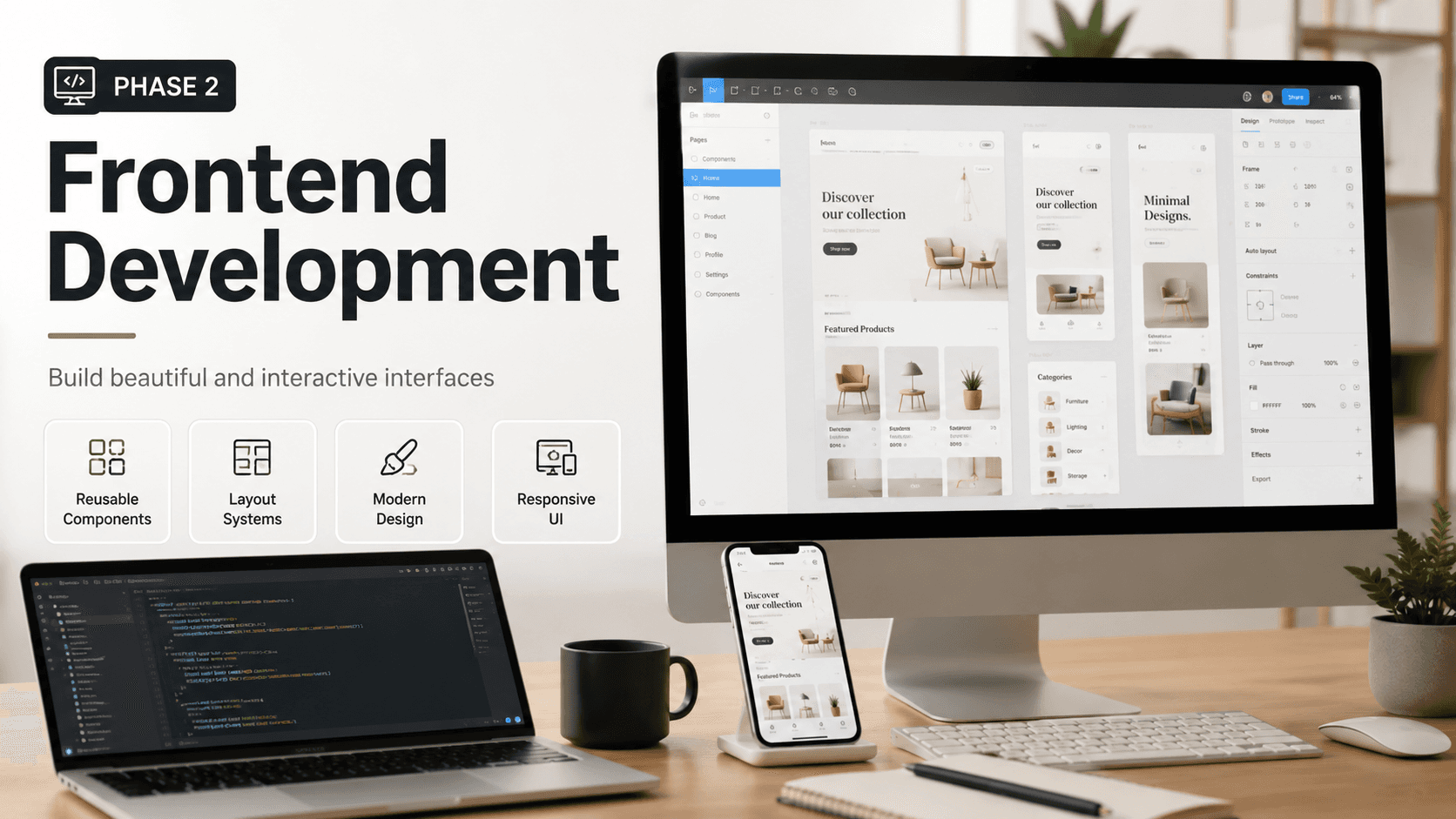
Phase 2
Frontend Development
Build beautiful and interactive interfaces
02
React
React helps you build interfaces using reusable components. Instead of writing one large page, you break the UI into smaller pieces such as buttons, cards, navbars, forms, and layouts.
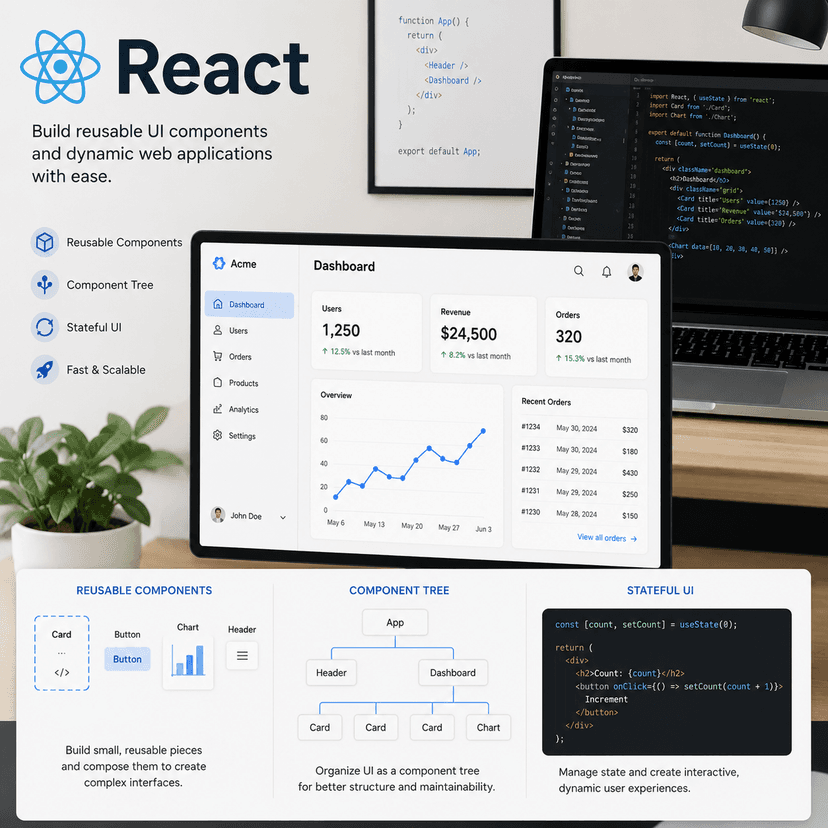
- Learn what components are and why they matter.
- Understand JSX and how it mixes JavaScript with HTML-like syntax.
- Learn props for passing data into components.
- Learn state for handling changing data.
- Use hooks like useState and useEffect.
- Render lists and conditional UI.
- Build reusable components such as cards, modals, forms, and navigation bars.
02
Next.js
Next.js is a React framework for building production-ready web applications. It adds routing, layouts, server rendering, API routes, image optimization, metadata, and deployment support.
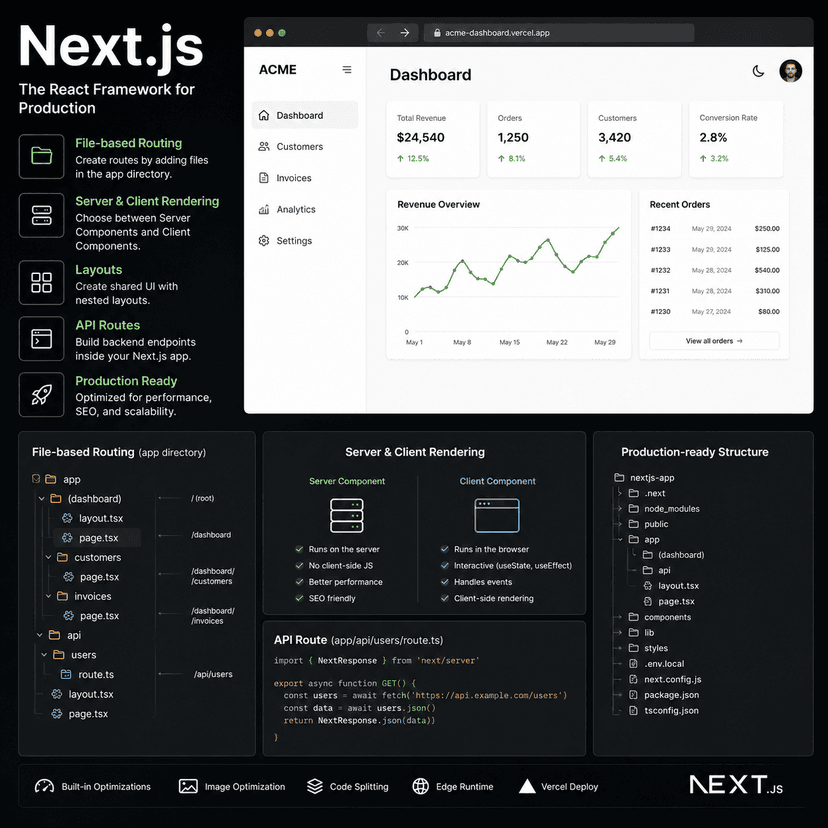
- Learn the App Router folder structure.
- Create pages and nested layouts.
- Understand server components and client components.
- Use dynamic routes for pages like blog posts, products, or user profiles.
- Create loading and error pages.
- Use Next.js image optimization.
- Learn how API routes work inside a Next.js project.
- Deploy a Next.js project to Vercel.
02
UI Design
UI design helps you make your application clear, organized, and visually appealing. Even if you are not a designer, learning basic design principles will make your projects look much more professional.
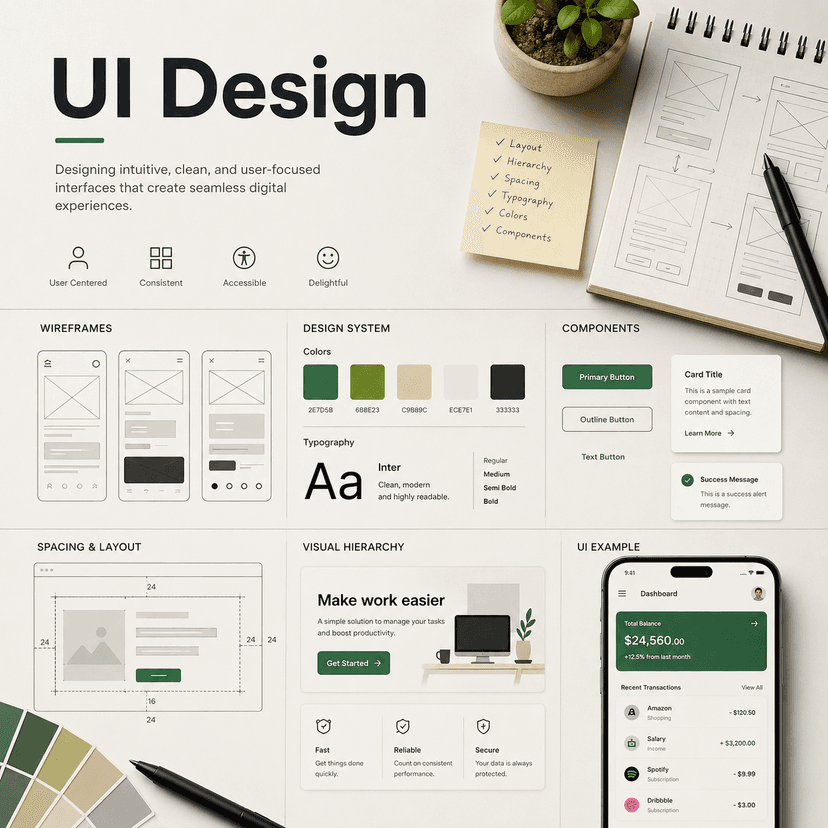
- Learn visual hierarchy so important content stands out.
- Use consistent spacing and alignment.
- Choose readable font sizes and font weights.
- Create a simple color system.
- Use contrast to improve readability.
- Design reusable UI patterns like buttons, cards, forms, and sections.
- Study good websites and rebuild small parts of them for practice.
02
Responsive Design
Responsive design makes your website work across different screen sizes. A strong frontend developer should know how to make layouts look good on phones, tablets, laptops, and desktop monitors.
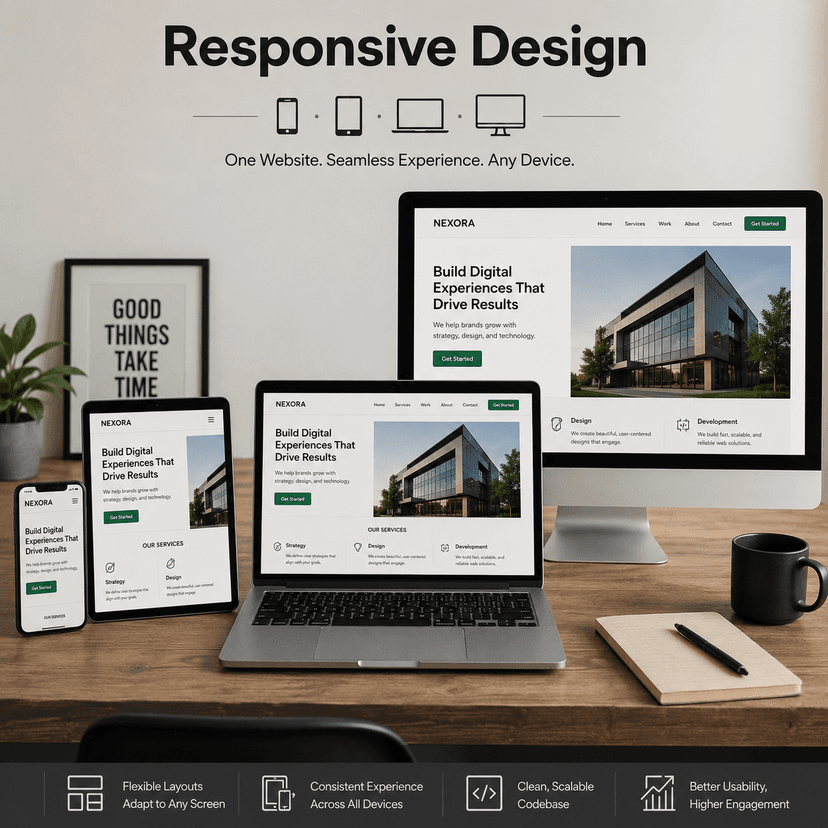
- Start designing mobile-first layouts.
- Use flexible widths instead of fixed widths when possible.
- Practice Flexbox and Grid responsive layouts.
- Use breakpoints for tablets and desktops.
- Adjust font sizes, spacing, and layout based on screen size.
- Test your pages using browser developer tools.
- Make sure buttons, menus, and forms work well on mobile.
Phase 3
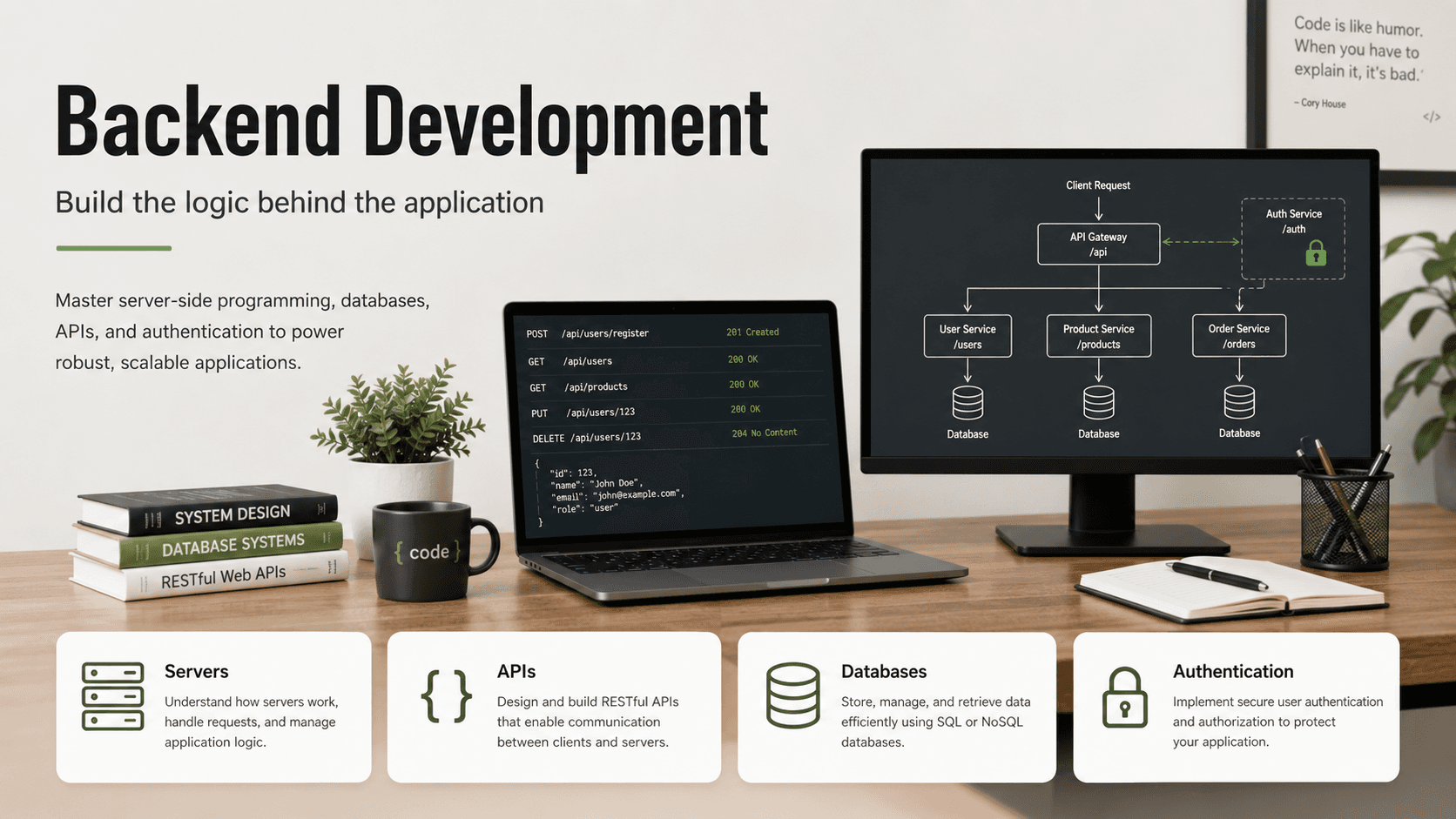
Backend Development
Build the logic behind the application
03
Servers
A server receives requests from the frontend, runs backend logic, communicates with databases, and sends responses back to the client. Understanding servers helps you understand how full stack apps actually work.
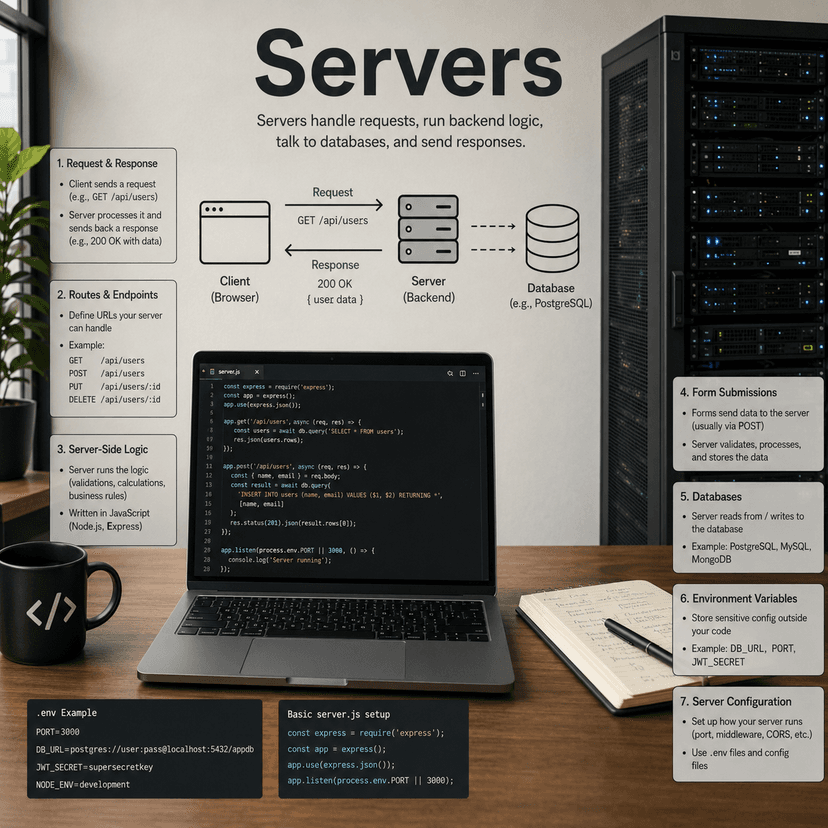
- Learn what a server is.
- Understand request and response flow.
- Learn backend routes and endpoints.
- Understand server-side logic.
- Practice handling form submissions on the backend.
- Learn how servers connect to databases.
- Understand environment variables and server configuration.
03
APIs
APIs are the communication layer between different parts of an application. The frontend uses APIs to request, create, update, or delete data from the backend.
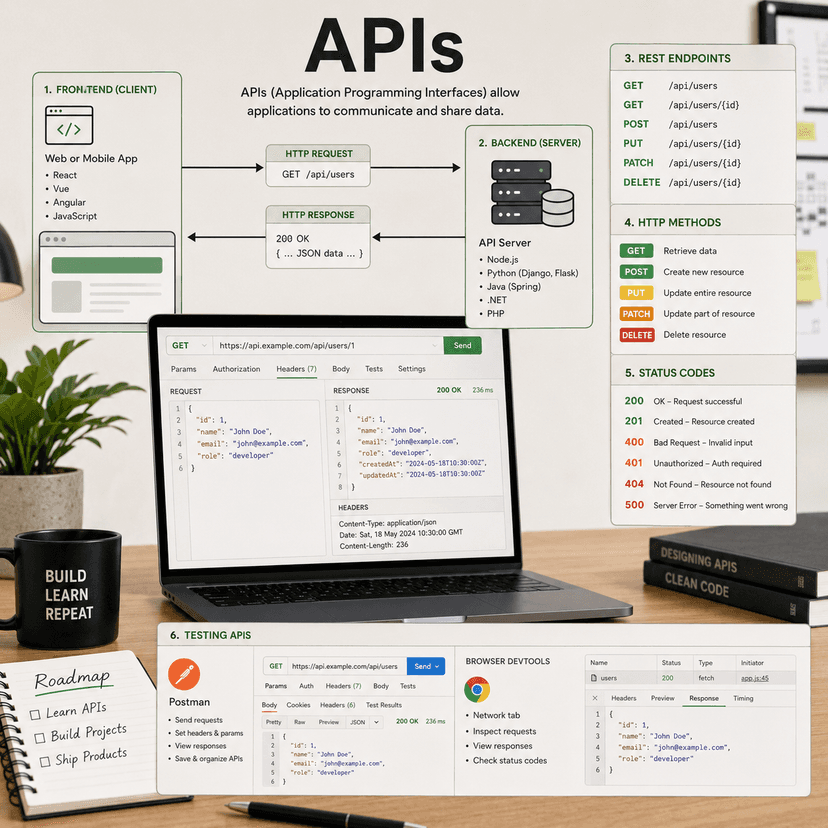
- Learn what an API endpoint is.
- Understand REST API principles.
- Learn HTTP methods: GET, POST, PUT, PATCH, and DELETE.
- Understand status codes like 200, 201, 400, 401, 404, and 500.
- Practice sending and receiving JSON data.
- Test APIs using Postman, Thunder Client, or browser tools.
- Connect a frontend form to a backend API route.
03
Databases
Databases store application data. Almost every real app needs a database for users, products, posts, comments, messages, payments, settings, or other important information.
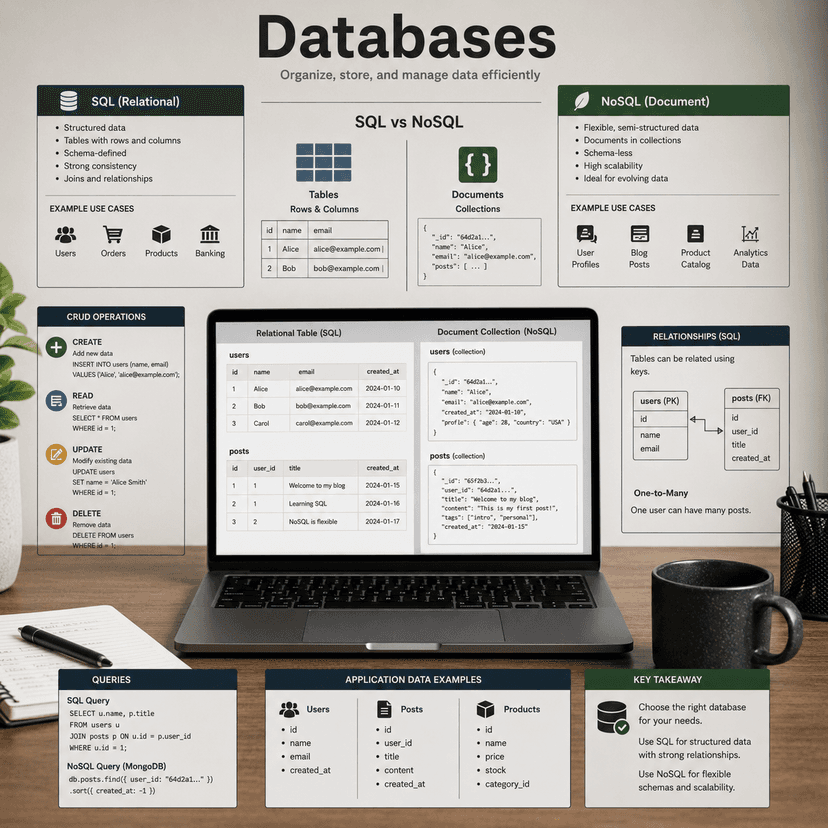
- Learn the difference between SQL and NoSQL databases.
- Understand tables, rows, columns, documents, and collections.
- Learn create, read, update, and delete operations.
- Understand relationships between data.
- Practice storing user-created content.
- Learn basic database queries.
- Connect your database to your backend or full stack framework.
03
Authentication
Authentication lets users create accounts, log in, and access protected content. It is one of the most important features in many full stack applications.
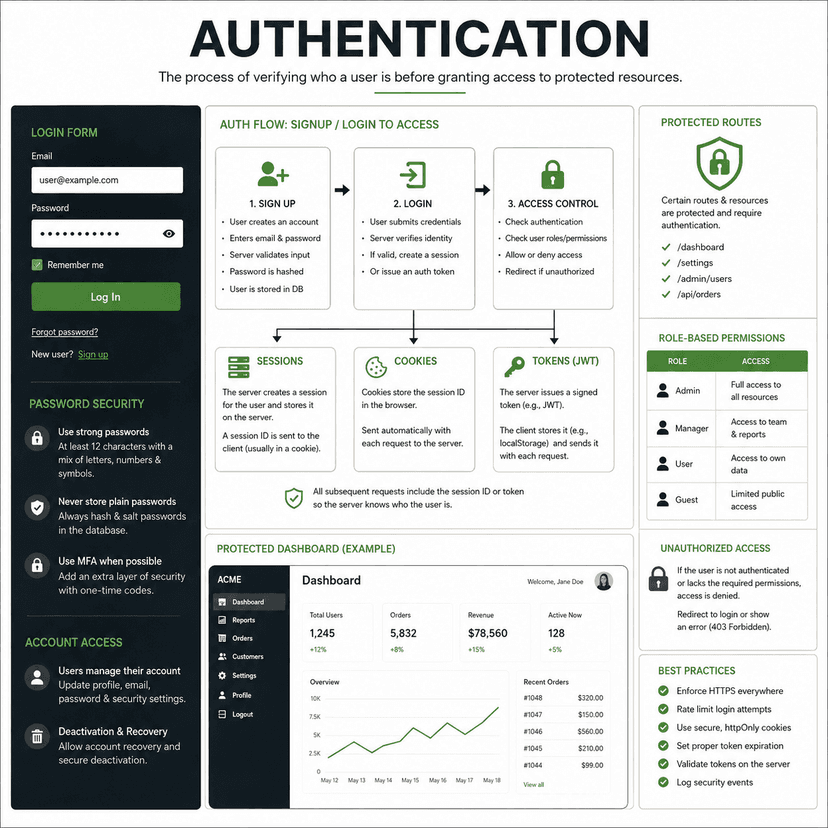
- Learn the difference between authentication and authorization.
- Understand signup and login flows.
- Learn how passwords should be stored securely.
- Understand sessions, cookies, and tokens.
- Learn protected routes.
- Practice role-based permissions.
- Use an authentication provider such as Clerk, Auth.js, Supabase Auth, or Firebase Auth.
Phase 4
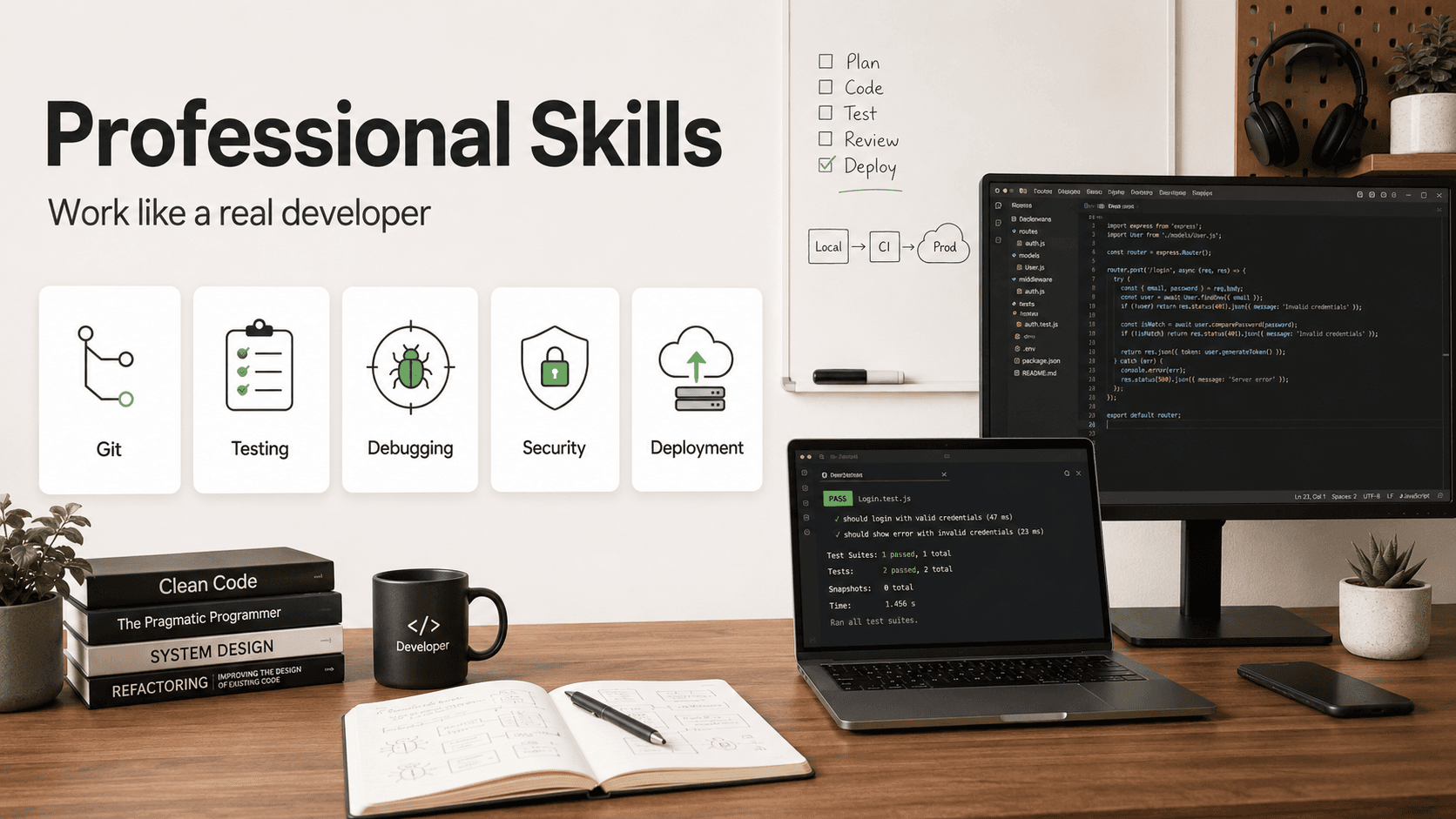
Professional Skills
Work like a real developer
04
Git
Git allows you to track your code history, create branches, save progress, and collaborate with others. It is one of the most important tools for working professionally.
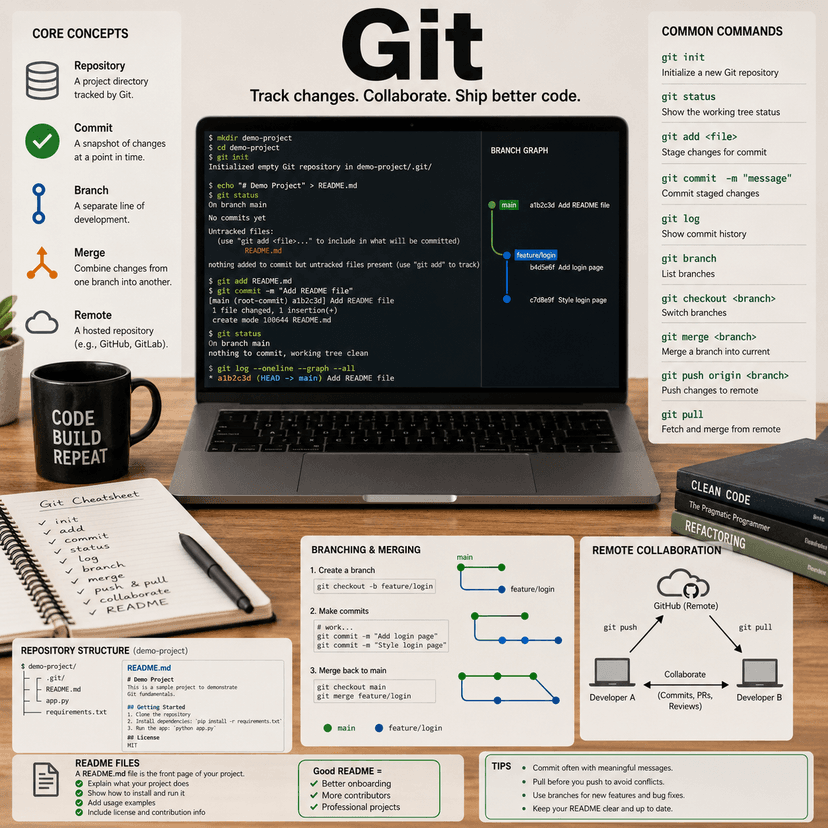
- Learn git init, add, commit, status, and log.
- Create repositories locally and on GitHub.
- Push and pull code from remote repositories.
- Use branches to work on features safely.
- Merge branches into the main project.
- Write clear commit messages.
- Create README files to explain your projects.
04
Testing
Testing helps confirm that your application works as expected. It reduces bugs and gives you more confidence when changing or adding features.
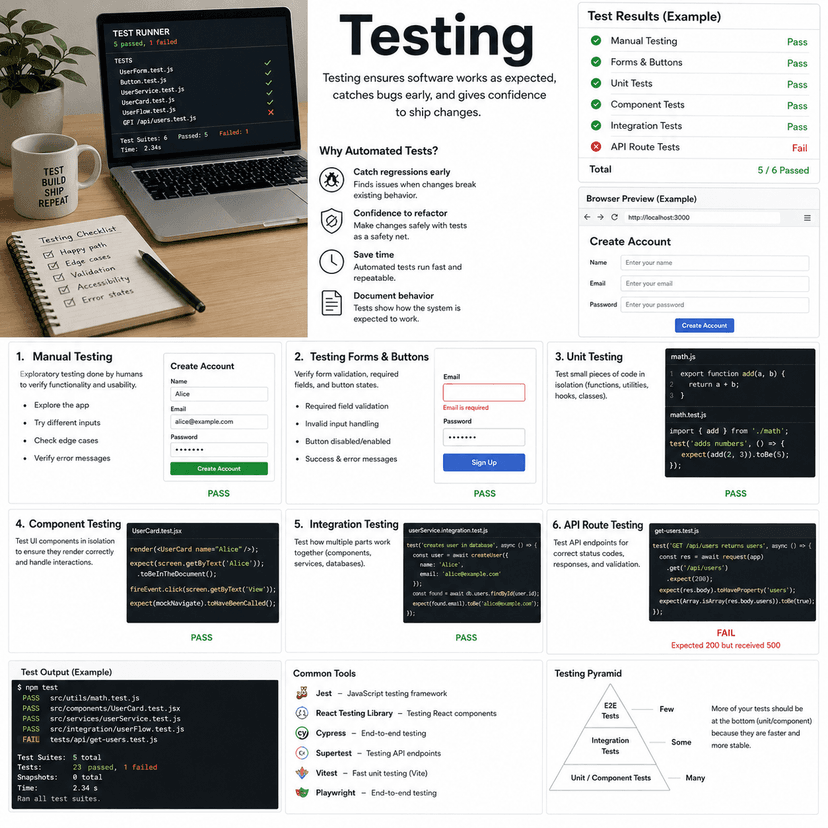
- Start with manual testing in the browser.
- Test forms, buttons, links, and page flows.
- Learn unit testing for small functions.
- Learn component testing for UI elements.
- Learn integration testing for connected features.
- Practice testing API routes.
- Understand why automated tests are useful for larger apps.
04
Debugging
Debugging is the process of finding and fixing problems. Every developer spends a lot of time debugging, so learning a calm and structured process is essential.
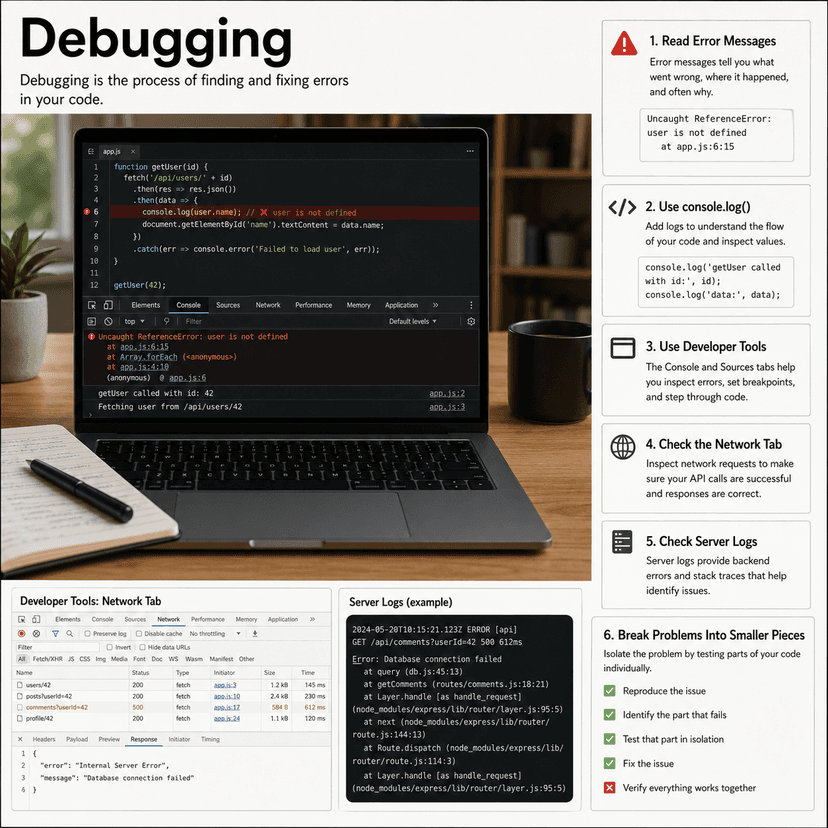
- Read error messages carefully.
- Use console.log to inspect values.
- Use browser developer tools.
- Check the Network tab for API issues.
- Check server logs for backend errors.
- Break large problems into smaller pieces.
- Search documentation and error messages effectively.
04
Security
Security protects your users, data, and application. You do not need to become a cybersecurity expert at first, but you should understand common risks and safe habits.
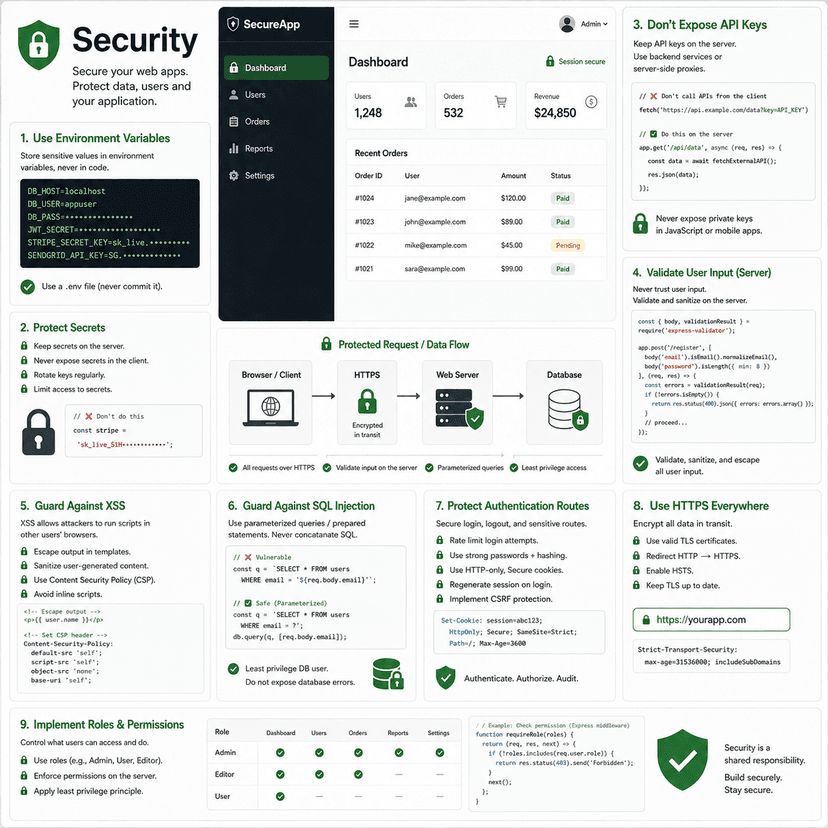
- Keep secrets in environment variables.
- Never expose private API keys on the frontend.
- Validate user input on the server.
- Understand common attacks like XSS and SQL injection.
- Protect authentication routes.
- Use HTTPS in production.
- Be careful with permissions and user roles.
04
Deployment
Deployment is how you make your project available online. Learning deployment teaches you how development code becomes a real application that others can visit and use.
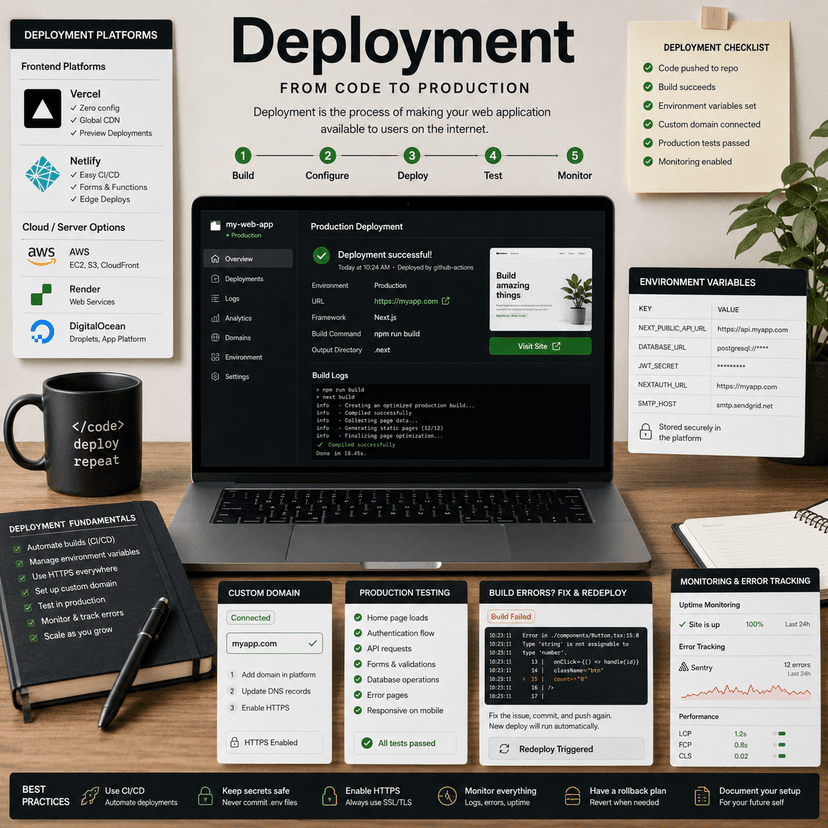
- Learn what hosting is.
- Deploy frontend projects to Vercel or Netlify.
- Set production environment variables.
- Connect a custom domain.
- Fix build errors.
- Test the production version of your app.
- Learn basic monitoring and error tracking.

Phase 5
Portfolio and Career
Build projects and show your skills
05
Full Stack Projects
Full stack projects are the best way to prove that you understand how frontend, backend, databases, authentication, and deployment work together. They show that you can build complete applications, not just isolated pieces.
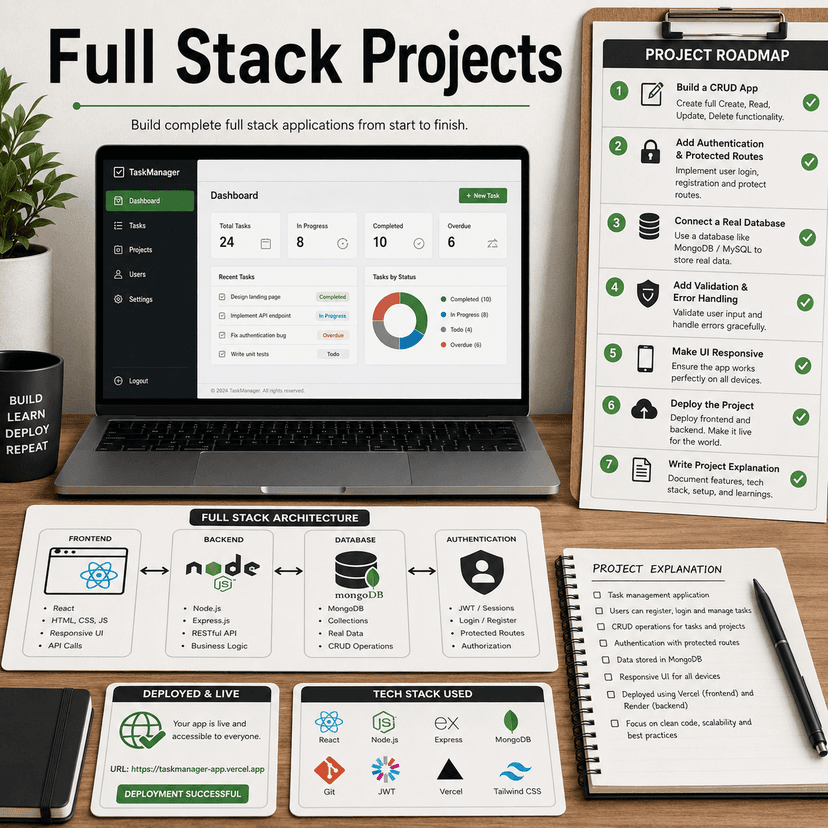
- Start with a simple CRUD app.
- Add authentication and protected routes.
- Connect the app to a real database.
- Add form validation and error handling.
- Make the UI responsive.
- Deploy the project online.
- Write a project explanation that describes the stack and features.
05
Portfolio
Your portfolio is your personal developer website. It should show who you are, what you can build, what technologies you use, and why your projects matter.

- Create a clean homepage introducing yourself.
- Add a projects section with screenshots and descriptions.
- Include live demo links and GitHub links.
- Explain the problem each project solves.
- List the technologies used.
- Add contact information.
- Make the portfolio responsive and visually polished.
05
GitHub
GitHub acts like your public code profile. It helps others see your coding habits, project organization, documentation style, and consistency.
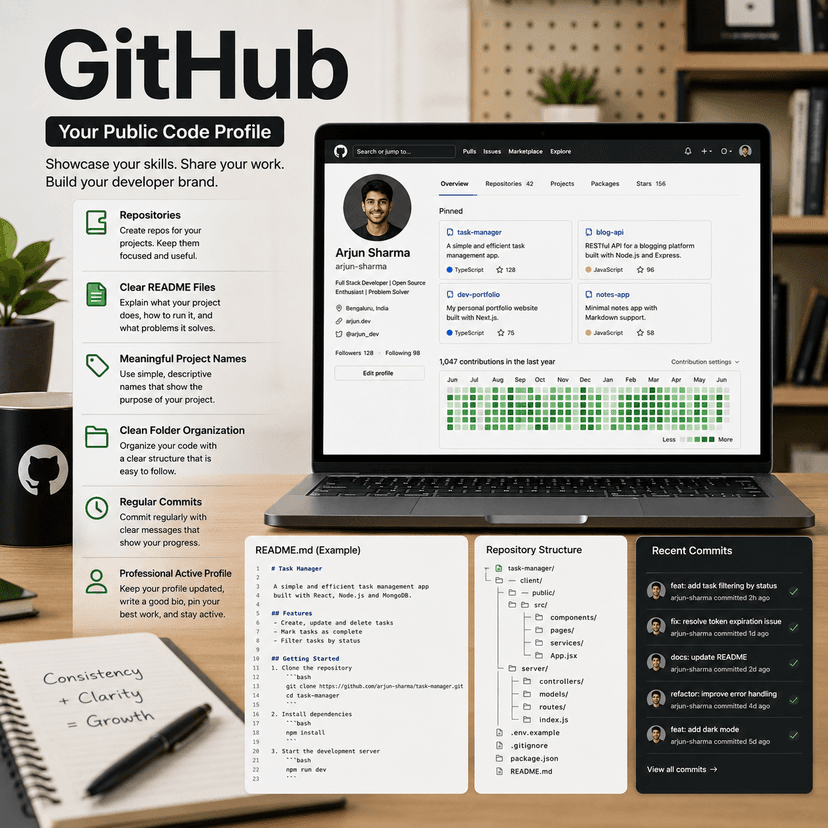
- Create repositories for your main projects.
- Write clear README files.
- Use meaningful project names.
- Organize folders and files cleanly.
- Commit regularly with clear messages.
- Pin your best repositories.
- Keep your GitHub profile active and professional.
05
Interview Prep
Interview preparation helps you communicate your skills clearly. You need to explain your projects, describe technical decisions, solve problems, and show that you understand how your code works.
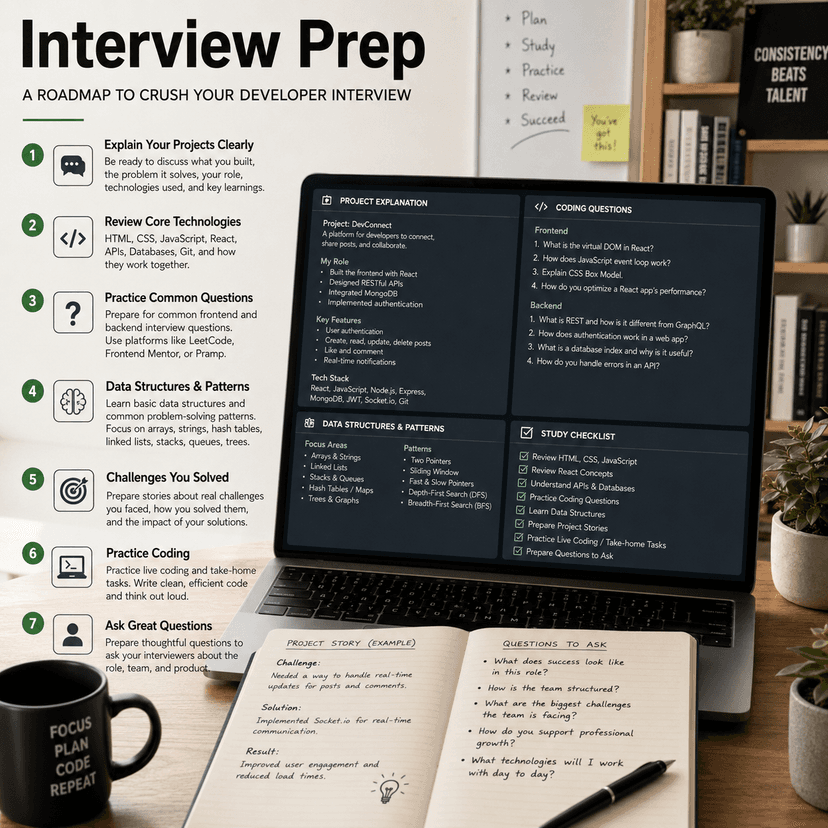
- Practice explaining each project in simple language.
- Review HTML, CSS, JavaScript, React, APIs, and databases.
- Practice common frontend and backend interview questions.
- Learn basic data structures and problem-solving patterns.
- Prepare answers about challenges you solved.
- Practice live coding or take-home project tasks.
- Prepare questions to ask employers or clients.